Enterprise Tools
How to Use AI to Extract and Automate Custom Reports from SAP (Step-by-Step)
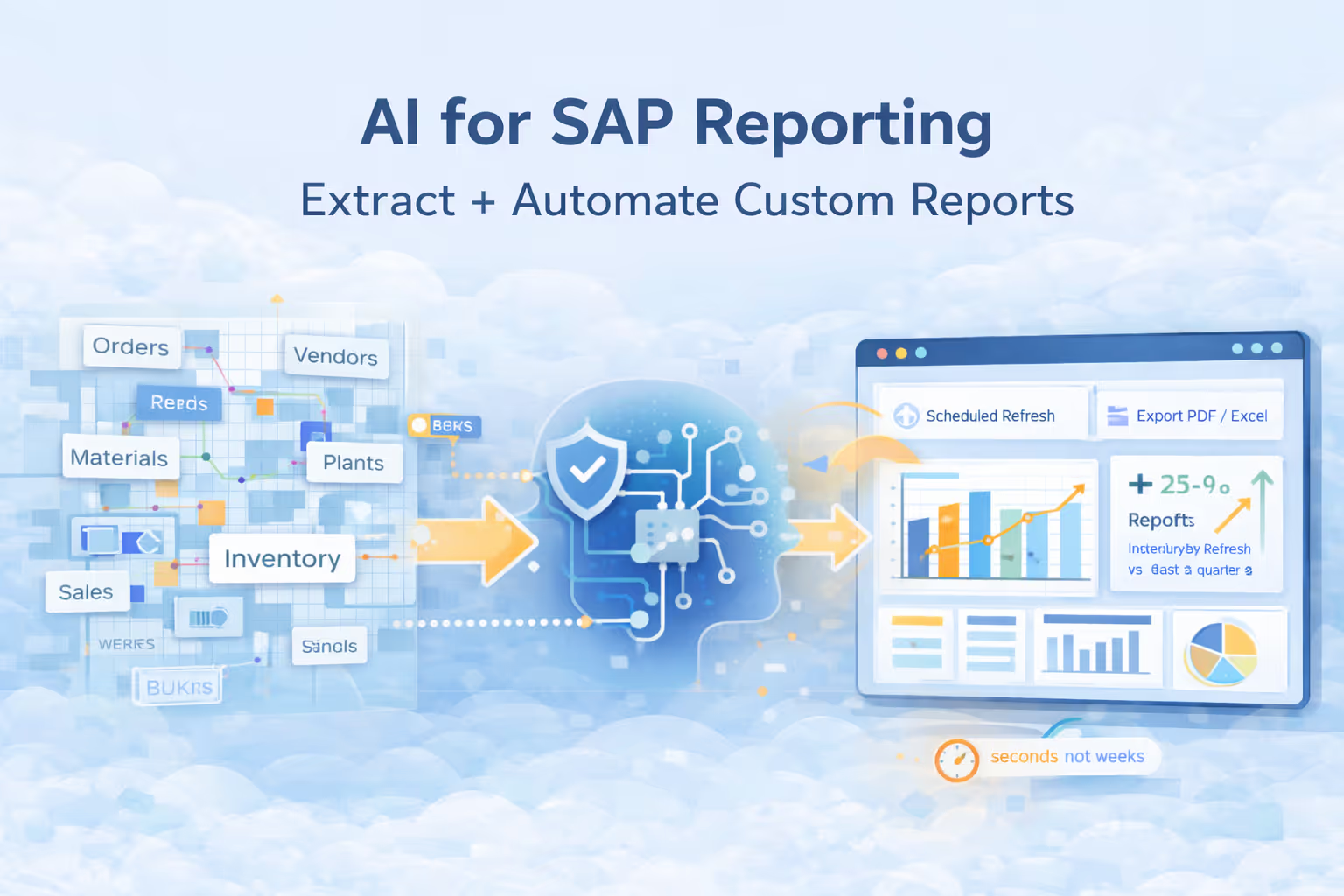
Picture this: It's Monday morning, and your VP of Operations needs a breakdown of inventory levels across all warehouses, cross-referenced with last quarter's sales data. You submit the request to IT. Their response? "We'll get to it in two weeks." By then, the decision that needed to be made will have already passed.
This scenario plays out daily in organizations running SAP systems. The data exists, it's valuable, but accessing it requires technical expertise most business users don't have. According to research from SAP community experts, organizations face significant challenges around data quality, data integration, and complexity of analyses when working with SAP data.
But what if you could ask your SAP system questions in plain English and get answers in seconds? That's exactly what AI-powered analytics platforms like Lumi AI are making possible today. In this guide, you'll learn how artificial intelligence is transforming SAP reporting from a technical bottleneck into a self-service capability.
Why Traditional SAP Reporting Falls Short for Growing Companies
SAP systems are powerful, but their complexity creates a fundamental challenge: the people who understand the business questions rarely have the technical skills to extract the answers, and the people with technical skills are overwhelmed with requests.
The Complexity of SAP Table Structures
SAP databases contain thousands of interconnected tables with complex relationships. When you need data from multiple sources, someone has to write SQL queries that join these tables correctly. The problem? Best practices in SAP development recommend limiting joins to no more than 3-4 tables to avoid placing heavy loads on the database. Yet most business questions require data from far more sources than that.
Even worse, SAP tables use technical naming conventions that don't match how business users think. A field called "WERKS" doesn't obviously mean "plant" to someone in procurement. This disconnect means that even if business users learned SQL, they'd still struggle to know which tables and fields to query.
The Infrastructure Gap
The traditional solution has been to build a data warehouse, a separate system where SAP data is copied, cleaned, transformed, and organized for reporting. But for small to medium-sized enterprises, this approach hits a wall quickly.
Initial costs for adopting solutions like SAP Datasphere represent a significant barrier for SMBs, including subscription fees that can run into tens of thousands annually, data migration costs, specialized training for staff, and potential upgrades of related systems to ensure compatibility. Many growing companies simply can't justify this investment when their core SAP system already contains all the data they need.
The Technical Skills Barrier
At the heart of these challenges lies a simple truth: traditional SAP reporting requires specialized technical knowledge. You need to understand SQL syntax, know SAP's table structure and relationships, grasp data modeling concepts, and often work with multiple tools to get from raw data to finished report.
Research on SAP analytics adoption shows that high implementation costs, complex integration requirements, and usability issues create particular challenges for SMEs. The result is a bottleneck where a small number of technical specialists become overwhelmed with requests from business users who could make better decisions if they only had faster access to data.
The AI-Powered Solution: Natural Language to Insights
The fundamental innovation that changes this dynamic is natural language processing applied to database querying. Instead of learning SQL and SAP table structures, business users can now ask questions the same way they would ask a colleague.
What is Conversational Analytics?
Conversational analytics platforms use large language models (the same AI technology behind ChatGPT) to understand business questions in plain English and translate them into the SQL queries needed to answer those questions. The process happens in seconds and requires no coding knowledge.
Here's how it works: When you type "Show me all purchase orders over $10,000 from last month," the AI breaks down your intent, identifies the relevant SAP tables, constructs the appropriate SQL query with proper joins and filters, executes that query against your SAP database, and returns the results in an easy-to-understand format with visualizations.
SAP Analytics Cloud has introduced natural language query features that let users interact with data using simple, conversational input, with AI-supported capabilities returning clear, trusted results instantly without requiring technical skills.
Key Capabilities That Matter
What makes modern AI analytics platforms particularly powerful for SAP environments is their combination of capabilities. Direct Database Connectivity means these systems can connect straight to your SAP instance without requiring you to first move data into a warehouse. Your data stays where it is, in your network, under your security controls.
Semantic Understanding allows the AI to learn your business context. You can tell the system that "plant" and "WERKS" mean the same thing, or that "gross margin" should be calculated as (revenue minus cost of goods sold) divided by revenue. Once configured, the AI applies this knowledge consistently across all queries.
Automated SQL Generation handles the technical complexity behind the scenes. Research demonstrates that natural language querying enables users to interact with databases through AI agents, where questions are converted into SQL queries, executed against databases, and results are converted into understandable explanations.
Real-World Benefits
The impact translates to concrete business advantages. Speed improvements are dramatic. Analysis that previously took days or weeks now happens in seconds to minutes. Organizations report turning seven-day analysis cycles into 30-second queries.
Cost reduction follows naturally when you eliminate the back-and-forth of traditional reporting. Case studies show AI-driven analytics can be hundreds of times cheaper than manual analysis when factoring in the time of skilled analysts who would otherwise handle routine queries.
How Lumi AI Bridges the Gap Between SAP and Business Users
Among the platforms built specifically for this challenge, Lumi AI stands out for its focus on enterprise data environments and operational analytics. Where general-purpose AI assistants struggle with complex business data, Lumi was designed from the ground up for organizations running systems like SAP.
What Makes Lumi Ideal for SAP Environments
Security and deployment flexibility are foundational to Lumi's architecture. Unlike cloud-only AI tools, Lumi can be deployed with a secure gateway that sits within your network. All query processing happens within your infrastructure, meaning sensitive SAP data never leaves your environment.
The platform integrates natively with SAP ERP, S/4HANA, SAP HANA, and also connects to major data warehouses. For organizations using SAP alongside other systems, Lumi provides a single interface to query across them all.
At the core of Lumi's capability is its semantic layer, the knowledge base that stores your business context, data definitions, and calculation logic. This isn't just a metadata catalog. It's an active system that ensures the AI understands your terminology, applies your business rules, and generates queries that reflect how your organization actually operates.
Core Features for SAP Reporting
Lumi's conversational data analysis module provides a natural-language chat interface where users query data in plain English and receive instant answers. The AI agents translate questions into SQL or Python code, run it on your databases, and return results with relevant charts or tables. Uniquely, users can toggle transparency controls to see the reasoning and logic the AI used, including viewing the actual SQL or Python code generated.
Dynamic dashboards let you pin important insights and charts to shareable boards that automatically refresh on a schedule. Unlike static BI dashboards where you're locked into pre-built views, Lumi's boards are interactive. Team members can drill down into any card using natural language, asking follow-up questions in context.
The knowledge base serves as your system's brain. You define which tables and fields Lumi can analyze, rename technical field names into familiar business terms, create formulas for business metrics and KPIs, and establish relationships between tables using a visual editor.
How to Implement AI-Powered SAP Reporting (Step-by-Step)
Implementing conversational analytics doesn't require a big-bang transformation. The most successful deployments follow a phased approach that delivers quick wins while building toward broader organizational adoption.
Step 1: Assess Your SAP Reporting Needs
Start by understanding where the pain points are sharpest. Gather your team and document the reports and analyses that currently take the longest to produce. What questions do managers ask repeatedly? Which reports create bottlenecks because they require IT involvement?
Look for patterns. If your operations team is constantly requesting inventory exception reports, or your sales team needs weekly product performance breakdowns by region, these are perfect candidates for AI-powered self-service. The goal is to identify 5-10 high-value, frequently-needed reports that currently require technical skills to generate.
Also identify your pilot users. You want a small group (5-10 people) who are data-savvy, understand the business context well, but aren't technical SQL experts.
Step 2: Connect to Your SAP Environment
The typical connection process requires less than three hours of IT team effort. For most on-premise SAP installations, Lumi deploys a secure gateway component within your network. This gateway handles query execution against your SAP database, with only results (never raw data) passed to Lumi's AI processing layer.
The connection setup involves providing database credentials with read-only access (Lumi never writes to your SAP database), configuring network access rules, and testing connectivity with sample queries.
One crucial advantage: your data never leaves your network. Query processing happens where your data lives, addressing compliance and security concerns that often slow down or block other analytics initiatives.
Step 3: Build Your Knowledge Base
This is where you translate your business knowledge into context the AI can use. Start with the tables and fields most relevant to your pilot use cases. If you're focused on procurement reporting, you'll configure tables like EKKO (purchase order headers), EKPO (purchase order items), and LFA1 (vendor master).
Lumi provides a visual interface for this configuration. You'll select which tables to make available, define relationships between tables, and most importantly, create business-friendly names. You might rename "EKKO-BUKRS" to "Company Code" and "EKPO-NETPR" to "Net Price."
For key business metrics, define the calculation formulas. If your organization calculates "Days of Inventory" as (Current Inventory Quantity / Average Daily Sales) × Days in Period, you document this in Lumi's knowledge base.
Step 4: Train Business Users
The beauty of conversational analytics is that "training" is minimal compared to traditional BI tools. Most users become proficient after a one-hour session covering basic concepts.
Your training should demonstrate how to phrase questions effectively. Show examples: instead of "EKPO query," demonstrate asking "Show me purchase orders over $50,000 from last quarter." Explain that the system works best with specific, clear questions rather than vague requests.
Create a starter library of useful queries specific to each role. Your procurement team might get examples like "Which suppliers have price increases over 10% this year?" while your operations team gets "Show me stockouts by product category for the past month."
Step 5: Scale and Optimize
After your pilot group has been using Lumi for a few weeks, review the most common queries to identify patterns. Look for queries where the AI struggled or produced incorrect results. Often, these indicate gaps in your knowledge base.
Expand systematically. Rather than opening Lumi to the entire organization at once, add new departments or use cases in phases. Set up governance appropriate to your organization's needs, defining who can access which data and establishing guidelines for sharing insights.
Pro Tips for Success:
- Start with reports that currently take the longest to produce
- Focus on operational reports (things people need daily or weekly) initially
- Use Lumi's feedback features actively to help the system learn
- Document your business logic in the knowledge base even when it seems obvious
Real-World Applications
Understanding how others use these capabilities can spark ideas for your own organization.
Supply Chain and Inventory Management: Exception reporting becomes trivial when you can ask "Which distribution centers had inventory accuracy below 95% last month?" Inventory optimization questions like "Show me items with more than 60 days of supply" now get answered in seconds.
Financial and Procurement Analysis: Spend analysis becomes self-service. Finance teams can query "Break down procurement spending by commodity category and show month-over-month trends" without engaging the analytics team. Vendor performance evaluation gets continuous rather than periodic.
Sales and Customer Insights: Sales performance analysis moves from backward-looking monthly reports to real-time monitoring. "Show me sales by product line for the current quarter compared to last year" gives managers up-to-date visibility without waiting for period close.
Operational Analytics: Process compliance monitoring shifts from periodic audits to continuous oversight. Questions like "Which plants haven't completed safety inspections on schedule?" surface issues immediately.
Transform Your SAP Reporting with AI
The promise of SAP systems has always been that all your business data lives in one integrated environment. The reality, however, has been that accessing that data for analysis requires specialized skills that most business users don't have.
AI-powered conversational analytics eliminates this bottleneck. By translating natural language questions into sophisticated database queries, platforms like Lumi AI make SAP data accessible to everyone who needs it, when they need it.
When people throughout your organization can get answers to their data questions immediately, they start asking more questions. Curiosity is rewarded rather than frustrated. Data becomes part of daily operations rather than something you get from IT when time permits.
For business leaders tired of the reporting bottleneck, and for IT teams overwhelmed with data requests, AI-powered analytics represents a solution whose time has arrived. Learn more about how Lumi can transform your SAP reporting.
Frequently Asked Questions
Does Lumi require moving SAP data to a cloud warehouse?
No, Lumi connects directly to your existing SAP database without requiring data migration. All query processing happens within your own network through a secure gateway. Your data stays exactly where it is, under your control, and only query results are processed by Lumi's AI.
What SAP systems does Lumi work with?
Lumi integrates with SAP ERP, SAP S/4HANA, and SAP HANA databases, covering the vast majority of SAP installations. Beyond SAP, it also connects to major data warehouses like Snowflake and Redshift, allowing you to query across SAP and non-SAP data sources through a single interface.
Do I need SQL or programming skills to use Lumi?
No technical skills are required for end users. You ask questions in plain English, and Lumi's AI automatically generates the SQL code, executes it, and presents results with appropriate visualizations. The platform does allow you to view the generated SQL if you want to understand what's happening behind the scenes.
How long does implementation take?
Most Lumi deployments go from initial connection to generating insights in approximately one week. The process includes connecting to your SAP database (2-3 hours of IT time), configuring the knowledge base, training your pilot user group and refining based on actual questions.
Is this secure for sensitive financial data?
Yes, Lumi is designed for enterprise security requirements. The platform is SOC 2 compliant, meeting rigorous standards for data privacy and security. All data processing happens within your own network, with role-based access controls and read-only database connections. Query execution occurs through encrypted protocols with full audit logs.
Can business users really create custom reports without IT help?
Yes, after a brief training session (typically one hour), business users can independently query SAP data and generate reports. They ask questions the same way they would ask a colleague: "Which suppliers have had price increases over 10% this year?" The AI handles all technical complexity of identifying relevant tables, writing proper SQL, and formatting results.

Data & AI Products | Founder & CEO at Lumi AI | Ex-Director at Unicorn. Ibrahim Ashqar is the Founder and CEO of Lumi AI, a company at the forefront of revolutionizing business intelligence for organizations with a specialization in the supply chain industry. With a deep-rooted passion for democratizing data access, Lumi AI seeks to transform plain language queries into actionable business insights, eliminating the barriers posed by SQL and Python skills.
Related articles
The New Standard for Analytics is Agentic
Make Better, Faster Decisions.