AI & Analytics
How to Set Up Snowflake Cortex Analyst for Accurate AI Answers
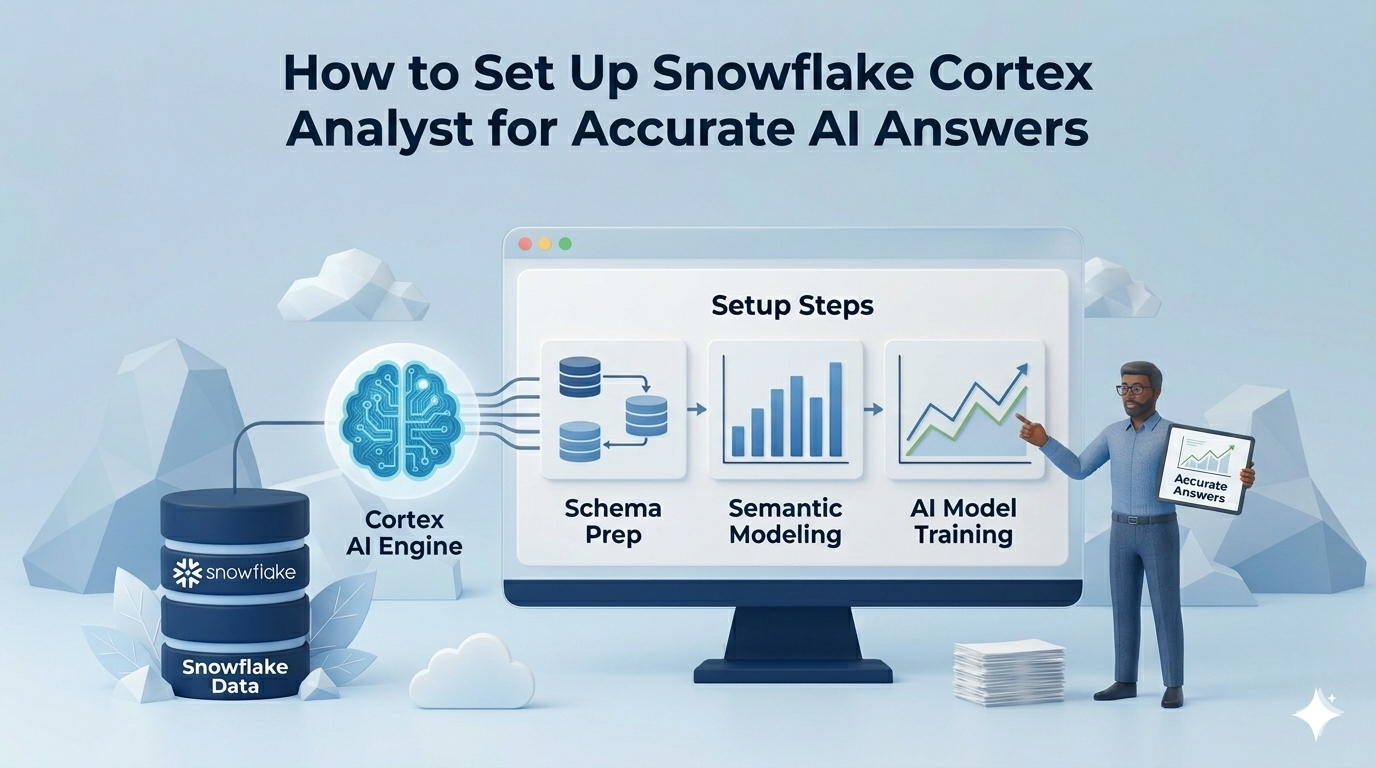
Snowflake Cortex Analyst is a powerful addition to the modern data stack, one that makes it genuinely possible for business users to ask questions about their data in plain English and receive SQL-backed answers in seconds.
But like any AI system, it works best when you understand its assumptions. A user who asks "What was our gross margin last quarter?" may receive a confident, clean answer, with no error message, no SQL to inspect, and no indication if the underlying join or metric definition doesn't match how your finance team actually defines the term. The 90%+ SQL accuracy Snowflake cites for real-world use cases is real and meaningful. What's equally worth understanding is where the remaining gap appears, and how to close it before it matters in a high-stakes context.
This article walks through how Cortex Analyst works under the hood, how to set it up correctly from scratch, and the four specific failure modes that cause wrong answers even after a correct setup. By the end, you will know exactly where Cortex is the right tool and where it needs something on top of it.
What Is Snowflake Cortex Analyst?
Snowflake Cortex Analyst is a managed AI service built into the Snowflake Data Cloud that translates natural language questions into SQL queries against your data. It is part of the broader Cortex AI suite, Snowflake's umbrella for LLM-powered features, and is designed specifically for structured analytics workloads.
The core idea is to let data teams expose their Snowflake data to non-technical business users without requiring those users to write SQL. Instead of opening a query editor, a user types a question in plain English. Cortex Analyst interprets it, generates a SQL query, executes it against your Snowflake tables, and returns a result.
What Snowflake Cortex Analyst Actually Does
Snowflake cortex is a large language model that generates SQL against your data, constrained by a semantic model that tells it what your data means.
The semantic model is what separates Cortex Analyst from a generic LLM query interface. Without it, you are asking an LLM to write SQL from a raw schema, and raw schemas have no business logic, no metric definitions, no understanding that "CUST_ID" means "customer." The semantic model bridges that gap. It is where you encode your business terminology, join paths, aggregation formulas, and verified examples.
There are two formats this model can take, and the distinction matters for setup. A Semantic Model is an external YAML file you upload to a Snowflake stage. A Semantic View is a native schema-level object stored inside Snowflake itself, managed like a database view, and subject to Snowflake's RBAC and sharing mechanisms. Semantic Views are Snowflake's newer recommended approach; Semantic Models (YAML files) are still fully supported. For this guide, the two are interchangeable in most setup steps, with differences noted where they diverge.
Cortex Analyst is API-first. It exposes a REST endpoint. There is no native interface for non-technical business users included in the product. That matters for deployment, and it comes up again later.
How to Set Up Snowflake Cortex Analyst: Step-by-Step
Step 1: Prerequisites and Role Configuration
Cortex Analyst requires a Snowflake Enterprise Edition account. It is not available on Standard edition.
Any user or role that calls the Cortex Analyst API needs the SNOWFLAKE.CORTEX_USER database role. Snowflake grants this to the PUBLIC role by default, which means every user in your account has it unless you change that. For enterprise deployments where access control matters, revoke it from PUBLIC and grant it explicitly:
-- Revoke broad access
REVOKE DATABASE ROLE SNOWFLAKE.CORTEX_USER FROM ROLE PUBLIC;

-- Grant to specific roles
GRANT DATABASE ROLE SNOWFLAKE.CORTEX_USER TO ROLE analyst_role;
If you want to restrict users to Cortex Analyst only and not other Cortex LLM features, use SNOWFLAKE.CORTEX_ANALYST_USER instead.
Beyond role access, the querying role needs two additional privileges: READ access on the stage where your YAML file is stored, and SELECT on all underlying tables the semantic model references. Missing either of these produces access errors that can look like configuration failures when they are actually permissions issues.
Step 2: Design Your Semantic Model Before You Build It
The most common setup mistake is treating the semantic model as a "connect everything" config file. Snowflake's own guidance is to start with no more than 50 columns for optimal performance. The reason is not arbitrary: the more you put in, the less precise Cortex becomes.
There is a hard constraint here that almost no tutorial mentions. The semantic model or semantic view has a 2 MB size limit. After Cortex Analyst separates out sample values and verified queries, the remaining model definition cannot exceed 32K tokens. For large enterprise analytics deployments with dozens of tables and hundreds of columns, this is a real ceiling, not a hypothetical one. Hitting it means splitting your model into multiple domain-specific semantic models, which adds routing complexity.
The practical approach: start with one business domain, one star schema, and the questions your users ask most frequently. Validate that first. Then expand. A semantic model built to answer ten questions well is more valuable than one built to answer everything poorly.
Snowflake provides a wizard in Snowsight that auto-generates a starter YAML from your table metadata and sample values. Use it as a starting point. Do not treat it as a finished model, specifically because of what Step 3 covers.
Step 3: Fix the Relationship Gap That Auto-Generation Leaves Behind
This is the step that most documentation glosses over, and the one most likely to produce wrong answers in production.
When you use the Snowsight wizard or auto-generation to build your semantic model and that model includes multiple tables, Cortex almost certainly did not add relationships between them. This is not a bug you can report. It is a documented behavior: the auto-generation pulls column metadata and sample values, but join path definition is a manual step.
Without explicit relationships, Cortex Analyst attempts to infer joins from column names and data types when a user asks a cross-table question. On a clean, well-named star schema with obvious foreign keys, it often gets this right. On a real enterprise schema with aliased columns, legacy naming conventions, or multi-fact tables, it will produce SQL that compiles and runs but joins the wrong things.
You have three options to add relationships manually:
- Use the Cortex Analyst GUI in Snowsight to select join paths from dropdown menus (click Save when done)
- Edit the YAML file directly in the Snowsight Editor to add the relationships section (click Save when done)
- Use the
CREATE OR REPLACE SEMANTIC VIEWSQL command to add the relationships section programmatically
All three require a technical user who understands the underlying data model. None of this is automatable in Cortex Analyst itself. Every time your schema changes and a new join path becomes relevant, this is a manual update.
Snowflake did address join hallucination and double-counting as a known problem in a dedicated engineering update, which expanded join support beyond simple star and snowflake schemas to include multifact tables. But that expanded capability only works if the relationships are defined. Cortex does not infer multi-fact joins.
Step 4: Define Business Context, Metrics, and Verified Queries
The semantic model has three primary levers for accuracy beyond table and column definitions: synonyms, metrics, and verified queries. Each addresses a different failure mode.
Synonyms map business language to schema language. Your schema column is called cust_ltv_90d. Your users call it "customer lifetime value." Without a synonym entry, Cortex either fails to find the column or makes an inference that may not be correct. Synonyms are defined at the column level in the YAML and must be maintained manually as business terminology evolves.
Metrics are the most important addition for financial and operational questions. A metric definition encodes the correct aggregation formula directly in the semantic model. Instead of letting Cortex infer how to calculate "gross margin" from column names, you define it:
metrics:
  - name: gross_margin
    description: Gross margin as a percentage of net revenue
    expr: (SUM(net_revenue) - SUM(cogs)) / SUM(net_revenue)
Without this, a user asking "What is our gross margin?" gets SQL based on whatever Cortex can infer from your column structure. That SQL may be wrong in ways that are very hard to detect without already knowing the answer.
Verified queries are the highest-reliability mechanism available. A verified query pairs a plain-English question with a pre-validated SQL answer. When a user asks something close to a verified query, Cortex uses the pre-validated SQL rather than generating from scratch. Building a strong verified query repository for your most critical KPIs is the single most effective thing you can do to harden production accuracy. It is also the most labor-intensive to build and maintain at scale.
Step 5: Plan Your User-Facing Interface Before You Build It
Cortex Analyst has no native UI for non-technical users. The product exposes a REST API. That is where the product ends.
To give a business user access to Cortex Analyst, someone on your team needs to build a front-end application. Snowflake supports Streamlit apps hosted inside Snowflake, custom Python or Node.js applications, and integrations with collaboration tools like Slack. Snowflake provides templates for some of these. The templates are basic. Building an interface that includes dashboarding, collaboration features, query history, and result verification is a significant engineering project beyond what the templates provide.
One important operational constraint for global deployments: Semantic Views currently do not support replication across Snowflake accounts or regions. If your organization runs data infrastructure across multiple regions, you will need to manually recreate and maintain the semantic model in each environment. This is not noted in most setup guides, and it surfaces as a surprise during enterprise rollouts.
One genuine strength worth acknowledging: all SQL that Cortex Analyst generates runs within Snowflake's RBAC framework. If a user does not have SELECT access to a table, Cortex cannot expose data from that table, regardless of how the question is phrased. The governance layer holds.
Why Does Snowflake Cortex Give Wrong Answers?
Snowflake Cortex Analyst produces inaccurate answers when its semantic model lacks explicit table relationships, when business metrics are undefined or ambiguous, or when a question falls outside the scope of configured verified queries. These are not hallucinations in the traditional LLM sense. The model is not fabricating data. They are systematic gaps between what the semantic model was configured to know and what the user actually meant. Every Cortex accuracy failure traces back to one of four root causes, each of which is fixable, but none of which are fixed automatically.
The Four Root Causes of Wrong Answers in Snowflake Cortex (And How to Fix Each One)
Root Cause 1: Missing Joins Produce Confident, Wrong SQL
When relationships are not defined in the semantic model, Cortex Analyst infers join paths from column names and data types. On a textbook star schema, orders.customer_id linking to customers.customer_id, this inference often works. On an enterprise schema with aliased columns, multiple fact tables, or non-standard naming conventions, it produces SQL that joins the wrong tables or creates unintended cross joins.
The result is not an error. The query runs. It returns a number. That number may reflect a completely incorrect aggregation, and the user has no way to know without inspecting the SQL, which non-technical users typically cannot do.
Snowflake's engineering team acknowledged this was a significant enough problem to warrant a dedicated update introducing expanded join support for complex schemas, including multifact tables. That expanded capability is real, but it only activates when join paths are explicitly defined. Cortex does not discover or correct missing relationships on its own.
Fix: Define all relevant join paths in your semantic model before exposing Cortex to users. Treat this as a prerequisite, not an optimization. Revisit join definitions whenever your schema changes.
Root Cause 2: Ambiguous Business Terms Generate Technically Valid but Business-Wrong SQL
Cortex Analyst is very good at generating SQL that compiles and runs. It is less reliable at generating SQL that encodes your business's specific definition of a metric.
Consider a question like "What is our forecast accuracy this quarter?" Your finance team defines forecast accuracy as absolute variance between forecast and actuals divided by forecast. If that definition is not encoded as a metric in your semantic model, Cortex will infer a calculation from whatever columns it can identify as related to forecasting and actuals. It might use percentage difference. The SQL will run. The number will be wrong. And because it is a plausible number, it may not be caught before it informs a decision.
The same failure applies to terms like "gross margin," "customer churn," "ARR," and any other metric where the business definition differs from a naive column-level interpretation. If your schema has both revenue and net_revenue columns, Cortex will make a choice about which one to use. That choice may not match your team's intent.
Fix: Define every critical business metric explicitly in the semantic model using the metrics block with the correct aggregation formula. Pair each with a verified query so Cortex has a ground-truth anchor for the most important questions.
Root Cause 3: Vague or Exploratory Questions Fall Outside Semantic Model Scope
Cortex Analyst is built for precision queries: specific questions that map to defined schema entities, metrics, and relationships. A question like "What drove our churn increase last month?" or "Where should we focus next quarter?" does not have a clean text-to-SQL translation.
When Cortex cannot generate a confident SQL answer, it returns a set of suggested alternative questions. This is an intentional hallucination prevention mechanism. For a technical user who understands the product's scope, it is a reasonable response. For a business analyst who asked a legitimate business question and got a list of suggested rephrasing back, it breaks trust in the tool quickly.
This is not a configuration failure. It is a design constraint. Cortex Analyst is optimized for narrow, well-scoped question sets where the semantic model has been built to answer exactly those questions. Broad, exploratory, or ambiguous questions require either an expanded verified query library, custom instructions for question categorization, or a different approach. The kind of access that lets non-technical users explore data without hitting these walls requires purpose-built semantic parsing, not just broader YAML coverage.
Fix: Be deliberate about what questions your semantic model is designed to answer. Document the scope for users. Invest in verified queries for the most common exploratory questions your team actually asks. Accept that some question types require a layer above Cortex to handle gracefully.
Root Cause 4: The YAML Scale Ceiling Creates Silent Accuracy Degradation
As your semantic model grows, its accuracy can degrade in a way that is hard to detect and easy to miss.
The 2 MB size limit and 32K token ceiling on the remaining model definition after sample values and verified queries are removed create a practical constraint on how much your semantic model can represent. Teams that build a working initial model and then keep adding tables, columns, and synonyms as the business grows eventually hit a point where the model is too broad to be precise. Cortex starts making inference errors not because the model is wrong but because it has too many options to disambiguate between.
The fix is not architectural, it is procedural. Treat the semantic model as a scoped domain artifact. Create separate models for separate business domains: one for revenue and finance, one for operations, one for customer data. Route questions to the appropriate model. This adds complexity, but it preserves accuracy as scale increases.
Teams that skip this governance step end up with a single bloated semantic model that handles everything adequately and nothing precisely. That is the state most production Cortex deployments drift toward six months after launch.
Fix: Establish a schema governance process before you launch. Define who can add tables and columns to the semantic model, under what review process, and with what accuracy validation. Treat the semantic model like production code, with reviews, testing, and a deprecation process for what gets removed.
Lumi AI: A Purpose-Built Operationalization Layer for Snowflake Cortex
If your deployment falls into any of the scenarios above, Lumi AI is purpose-built to handle the operationalization work that Cortex Analyst requires but does not include.
Where Cortex Analyst requires manual YAML relationship definitions, Lumi's AI Agent Swarm dynamically analyzes and interprets complex enterprise schemas, creating implicit joins without requiring your team to maintain them by hand. Where Cortex requires engineering resources to expose answers to business users, Lumi provides an interface that non-technical stakeholders can actually use.
The key differences in practice:
- No manual join maintenance: Lumi's architecture handles complex, multi-fact schemas without explicit relationship definitions in a YAML file
- Business-defined metrics without YAML: Lumi's knowledge management layer lets non-technical users define complex calculations and context-aware metric mappings directly
- Built for self-service: designed for business analysts, finance teams, and operations users, not data engineers
- Evaluation and verification loops: built-in mechanisms for validating AI-generated answers before they reach decision-makers
The distinction is not that one tool is better, it is that they solve different problems in the same stack. Cortex Analyst is a strong foundation. Lumi handles what comes on top of it. Book a demo to see how Lumi works on top of your existing Snowflake infrastructure.
Frequently Asked Questions
Why does Snowflake Cortex give confident but wrong answers when a metric is not defined?
When a metric like gross margin or forecast accuracy is not explicitly defined in the semantic model, Cortex Analyst infers a calculation from the column names and data types it can identify as relevant. That inferred SQL is syntactically valid and executes without error, but the business logic it encodes may not match your organization's actual definition. No warning surfaces to the user. This is why metric definition in the semantic model is a production requirement, not an optional enhancement.
Do I need engineers to expose Cortex Analyst to business users?
Yes. Cortex Analyst does not include a native interface for non-technical users. To give a business user access, you need to build a front-end application, typically a Streamlit app hosted in Snowflake or a custom web application using the REST API. You also need ongoing engineering capacity to maintain the semantic model, update synonym repositories, and add verified queries as the business evolves. This is a meaningful, ongoing engineering commitment, not a one-time setup cost.
What is the difference between a Cortex Analyst hallucination and a semantic model gap?
Classic LLM hallucination, where the model generates information that does not exist, is rare in Cortex Analyst because every answer is grounded in SQL execution against your actual Snowflake data. Most wrong answer cases are semantic model gaps: missing join definitions, undefined metrics, or questions that fall outside the model's configured scope. The distinction matters because hallucinations suggest a model problem, while semantic model gaps are configuration problems fully within your control to fix.
Can Snowflake Cortex Analyst be replicated across accounts or regions?
Not currently. Semantic Views do not support replication in Snowflake, meaning each account or regional environment requires the semantic model to be manually recreated and maintained independently. For global enterprise deployments that run data infrastructure across multiple Snowflake accounts, this is a significant operational overhead to plan for before committing to a production rollout.
When Cortex returns suggested questions instead of an answer, what does that mean?
It means the query fell outside the scope of what the semantic model can confidently answer. Cortex returns alternative suggested questions rather than generate a speculative SQL response, which is intentional and designed to prevent hallucination. For technical users, it is a signal to expand the semantic model or add a verified query for that question type. For non-technical users, it typically reads as a product failure. If your users regularly hit this response, the semantic model scope does not match the questions they are actually asking.
Conclusion
Cortex Analyst is one of the most capable text-to-SQL systems available inside a cloud data warehouse. It is also a foundation, not a finished analytics product, and the gap between those two things is where most enterprise deployments run into trouble.
If your team has the engineering capacity to build and maintain the front-end, the semantic model, and the verified query library, Cortex Analyst is a strong investment. If you are deploying to non-technical business users, working with a complex or evolving schema, or cannot sustain that engineering overhead long-term, you need something purpose-built to sit on top of it.
Lumi AI is built for that second scenario, handling the operationalization layer that Cortex requires but does not provide. Book a demo to see how Lumi works on top of your existing data infrastructure.

Data & AI Products | Founder & CEO at Lumi AI | Ex-Director at Unicorn. Ibrahim Ashqar is the Founder and CEO of Lumi AI, a company at the forefront of revolutionizing business intelligence for organizations with a specialization in the supply chain industry. With a deep-rooted passion for democratizing data access, Lumi AI seeks to transform plain language queries into actionable business insights, eliminating the barriers posed by SQL and Python skills.
Related articles
The New Standard for Analytics is Agentic
Make Better, Faster Decisions.