AI & Analytics
How to Connect AI to SQL Server for Automated Analytics and Reporting
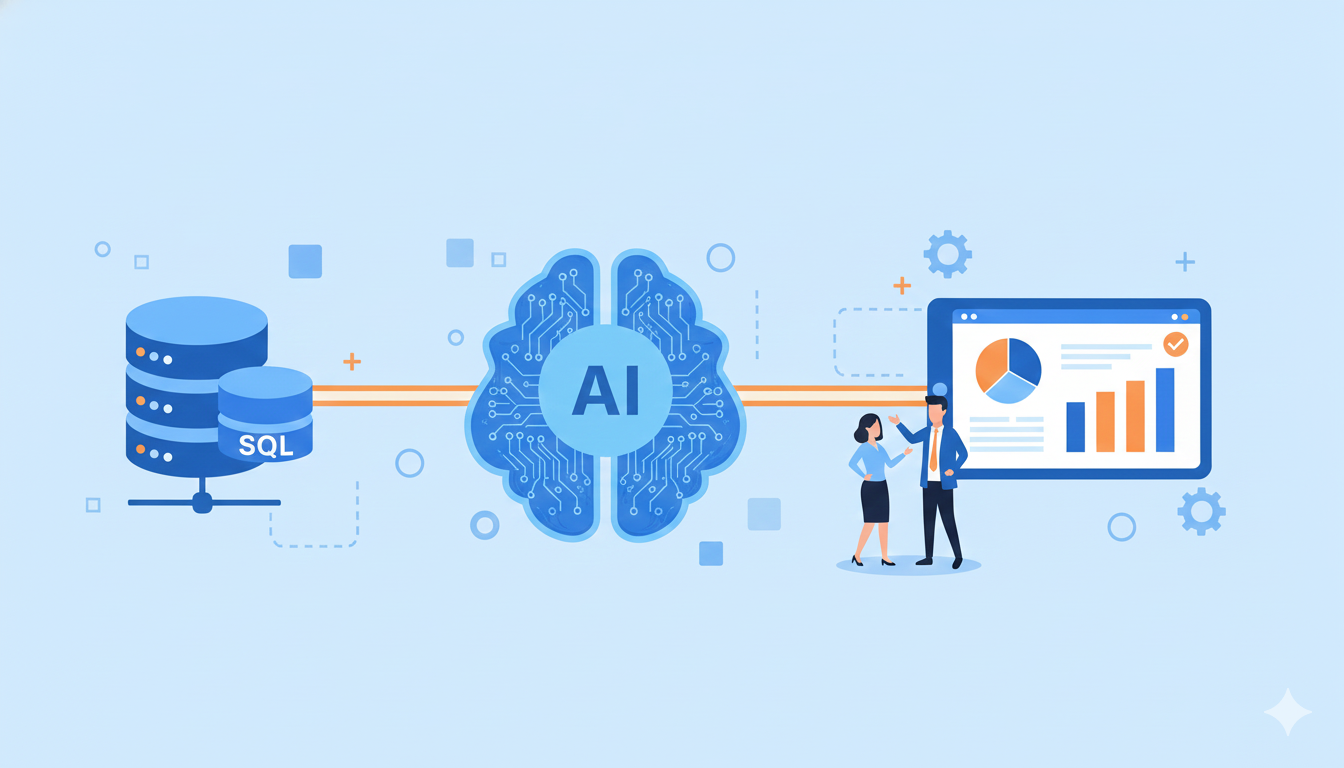
SQL Server powers data operations across countless enterprises, yet for many organizations, the challenge isn't collecting data, it's making it usable for decision-making. Traditional workflows that depend on manual SQL queries, complex ETL processes, and fragmented access policies create significant delays between data availability and insight generation. This gap limits how quickly teams can act on information.
The good news? Generative AI is fundamentally changing this dynamic. By connecting AI directly to SQL Server databases, organizations can now move from raw database connections to semantic insight generation without building an entire reporting stack first.
Why SQL Server Analytics Creates Bottlenecks
Microsoft SQL Server remains one of the most widely deployed enterprise databases worldwide. According to DB-Engines, SQL Server consistently ranks among the top three database management systems globally. It typically sits at the center of operational systems, storing transactions, orders, customer records, and financial data.
Despite this central role, traditional workflows create several friction points:
- Manual SQL queries that depend heavily on engineering bandwidth, forcing business users to wait in queue for technical teams
- Separate ETL and modeling processes required to prepare data for BI tools, adding layers of complexity and delay
- Complex schema structures featuring non-descriptive field names like
CUST_NOinstead ofCustomer_ID, creating confusion for anyone trying to understand the data - Fragmented data access policies that slow down reporting even further
The result? Even organizations with robust SQL Server setups experience significant delays between when data becomes available and when teams can actually use it to make decisions.
What Is an AI Semantic Layer for SQL Server?
An AI semantic layer is the bridge between your SQL Server database and business users. It applies AI-driven understanding on top of your existing database, automatically interpreting schemas, mapping relationships, and providing semantic translation that connects technical structure with business meaning.
Think of it as a translator that makes your database speak the language of your business. Fields like INV_NO become "Invoice Number." Tables like CUST_TBL become "Customers" or "Accounts." Relationships between Orders and Products get defined once and understood by the AI for all future queries.
This semantic translation layer eliminates the need for separate reporting stacks. Instead of building complex data pipelines, teams can set up an AI-readable, human-understandable data model and start asking questions in plain language.
Building Your Knowledge Base: The Foundation
The Knowledge Base acts as the connective tissue between raw data and intelligent reasoning. Once SQL Server is connected, teams can:
- Pull in all database tables and fields automatically from your SQL Server environment
- Define joins and primary-foreign key relationships visually or through natural language, eliminating the need for manual ETL scripts
- Rename fields and tables to match business terminology (for example,
CUST_TYPbecomes "Customer Type") - Add descriptions and context, creating a shared semantic dictionary that the AI understands when generating queries
This process eliminates the need for separate ETL scripts or BI model layers. Within hours, teams can have a clean, semantically structured data foundation that AI can query intelligently.
For example, if a field is relabeled as "Customer Type," the AI can interpret a query like "Show me revenue by customer type for the last three quarters" and automatically generate the correct SQL with joins and aggregations applied, no manual query writing required.
How Lumi AI Connects to SQL Server
Lumi AI transforms SQL Server analytics by directly connecting to your databases and building an intelligent layer on top of them. As a leading AI-powered enterprise analytics platform, Lumi uses agentic analytics, a network of specialized AI agents that work together like a skilled data analyst team.
The Agentic AI Workflow
When you ask Lumi a question, the system delegates tasks to specialized AI agents in sequence:
- Query Clarification Agent ensures the system understands your true intent
- Context Retrieval Agent pulls relevant information from the Knowledge Base, understanding which tables, fields, and business definitions apply
- Code Generation Agent writes the SQL or Python code to answer your question
This workflow handles complex questions robustly. If a query returns an error or needs more data, Lumi can troubleshoot code errors or ask follow-up questions for clarification. The result: answers delivered like a skilled data analyst would provide, but in a fraction of the time.
Enterprise-Grade Security Architecture
Security is critical when connecting AI to databases. According to Microsoft's security documentation, proper data security requires multiple layers of protection. Lumi's architecture ensures all data processing happens within your own network environment.
Unlike cloud-based AI tools that copy data to external servers, Lumi deploys a secure gateway or direct connector that sits in your infrastructure or VPC. When you ask a question, Lumi's generated SQL runs directly against your database. Only the results are returned to you, meaning sensitive data never leaves your network.
Lumi provides standard, secure connectors for all major databases and enterprise systems, including SAP, Oracle, and Microsoft Dynamics. The platform is SOC 2 compliant and includes fine-grained permission controls for role-based access.
Key Capabilities: Automated Querying and Analysis
Once your semantic layer is active, AI transforms how your team interacts with SQL Server data. Lumi's capabilities include:
Natural Language Queries
Users query data in plain English and get instant answers. The system handles multi-table joins and aggregations automatically, without requiring users to know schema details. Conversational analytics allows follow-up questions that refine context.
Real business questions get real answers:
- "What's our gross margin by product category in the last six months?"
- "Which suppliers caused the most order delays this quarter?"
- "Compare on-time delivery rates by warehouse."
Behind the scenes, Lumi dynamically generates optimized SQL for SQL Server, ensuring performance and accuracy even for large datasets.
On-the-Fly Visualization
The chat interface supports instant data visualization. Users can request charts and create customized visuals with simple language. Results export to Excel or CSV, and important answers or visuals can be pinned to shareable dashboards.
Full Transparency
Uniquely, Lumi offers complete transparency. Users can view the actual SQL or Python code generated for each answer. This builds trust by showing exactly how results are derived, addressing common concerns about black-box AI systems.
Lumi AI vs. Traditional BI Tools
The differences between AI-powered analytics and traditional BI tools are fundamental:
Traditional BI relies on pre-built dashboards and reports. According to industry research, BI and IT professionals spend significant time designing, maintaining, and documenting dashboards for users, often leading to what experts call "dashboard anarchy", a proliferation of dashboards that users must navigate to find answers.
Lumi replaces that complexity with self-service analytics. Instead of hunting through menus or waiting for reports, users ask questions in natural language. With legacy BI, answering ad-hoc questions requires writing SQL or Python, creating a bottleneck where business questions go unanswered. Lumi removes this barrier entirely.
Industry Applications
Supply Chain and Operations
Supply chain teams gain visibility across demand planning, inventory optimization, procurement analytics, and logistics monitoring. AI helps analyze trends, forecast demand, detect anomalies across SKUs and regions, and identify cost-saving opportunities.
Sales and Customer Analytics
Sales and customer analytics teams break down performance by product, channel, and region. AI enables users to ask questions and get insights about thier data including, including loyalty drivers, churn risks, and cross-sell opportunities. It evaluates promotions, identifies growth trends, and optimizes category assortments.
Warehouse Operations
Warehouse managers monitor shipping operations, tracking orders shipped on time versus delayed. AI enables real-time inventory visibility, helping reduce carrying costs by identifying slow-moving versus fast-moving inventory.
Real Results from AI-Powered SQL Server Analytics
Early deployments demonstrate significant measurable value. In one Fortune 50 retail enterprise, analysis that previously took over a week was accomplished in under three minutes. The AI automated tasks like exporting and merging data from ERP dashboards and performing calculations a human analyst would normally do manually.
The time savings translate directly to cost savings. According to internal deployment data, analyzing via AI agents can be hundreds of times cheaper than traditional means by reducing reliance on scarce data analyst hours.
Revenue impact can be substantial. This case study shows how fast analysis enabled teams to act quickly on stockout issues. By identifying stores not following inventory protocols, the retailer recaptured an estimated 12 percent of lost sales previously missed due to stockouts.
Best Practices for Success
Start with a clean, well-defined use case that addresses a specific pain point. Choose a scenario where faster insights will create measurable business value.
Invest time in Knowledge Base setup. The quality of your semantic layer directly determines AI accuracy. Work with business users to align terminology. Rename fields to match how people actually talk about the data.
Set appropriate governance policies from the start. Configure query limits and cost controls. Define role-based access to ensure users see only data they should access.
Leverage transparency features to build user trust. Show users the SQL code behind answers. This transparency helps users feel confident in AI-generated insights.
Conclusion
Connecting AI to SQL Server represents more than an incremental improvement in analytics, it's a fundamental shift from reactive reporting to proactive intelligence. By creating a semantic layer that bridges technical database structures with business meaning, organizations eliminate the delays and complexity of conventional analytics workflows.
The combination of natural language interfaces, automated query generation, and agentic AI workflows enables business users to access insights in seconds rather than days. Security remains enterprise-grade with in-network processing and SOC 2 compliance.
For organizations using SQL Server, the opportunity is clear. AI doesn't just accelerate existing workflows, it transforms SQL Server from a static database into an intelligent insights engine that drives faster, more informed decisions across the entire enterprise.
Ready to transform your SQL Server analytics? Schedule a demo to see results in as little as one week.
Frequently Asked Questions
How does AI connect to SQL Server without compromising security?
Lumi AI has connection option with a secure gateway within your infrastructure, ensuring all data processing happens in your network environment. When you ask a question, the generated SQL runs directly against your database and only results are returned. The platform maintains SOC 2 compliance with fine-grained permission controls.
Do business users need SQL knowledge?
No technical skills are required. The natural language interface allows users to ask questions in plain English. AI agents handle all the coding by translating questions into SQL or Python, executing queries, and returning results with charts and tables.
How long does implementation take?
Implementation typically requires less than three hours of effort from your IT team during initial setup. The timeline from project start to delivering insights is approximately two week for a targeted pilot.
What's the cost difference compared to manual analysis?
Organizations achieve significant cost reduction compared to manual analysis when considering the value of time saved. Analysis that previously took seven days can be completed in under three minutes, with time savings exceeding 90 percent across typical use cases.
Which industries benefit most?
Industries with complex supply chains or operations gain the most value, including retail, consumer packaged goods, manufacturing, logistics, and e-commerce. Companies using large ERP systems like SAP, Oracle, and Microsoft Dynamics benefit from seamless compatibility.

Data & AI Products | Founder & CEO at Lumi AI | Ex-Director at Unicorn. Ibrahim Ashqar is the Founder and CEO of Lumi AI, a company at the forefront of revolutionizing business intelligence for organizations with a specialization in the supply chain industry. With a deep-rooted passion for democratizing data access, Lumi AI seeks to transform plain language queries into actionable business insights, eliminating the barriers posed by SQL and Python skills.
Related articles
The New Standard for Analytics is Agentic
Make Better, Faster Decisions.